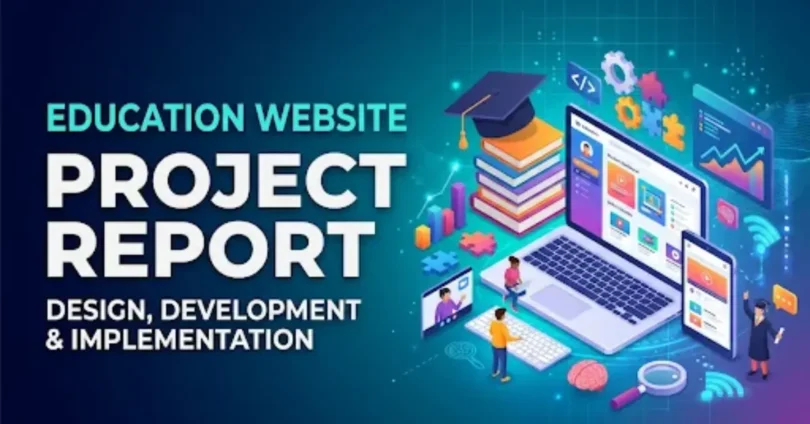
Education Website Project Report, Explains how to plan, design and develop a website that helps students and teachers access learning materials online. This project makes education easier by providing study notes, online courses, student registration and useful learning resources in one place. In this report, you will learn about the project requirements, website design, development steps, important features, database, testing and final results. Each step is explained in simple English to help students understand the complete project easily.
Overview of the Education Website Project
An Education Website Project is an online platform designed to make learning simple and easy for students and teachers. It provides useful educational resources such as online courses, video lessons, study notes, quizzes, and practice tests. Students can visit the website to learn new subjects, improve their knowledge, and study from anywhere. Teachers can also share lessons and educational materials with learners. The main purpose of this project is to provide easy access to education, save time, and support students in their learning journey.Step-by-Step Process of Building an Education Website
Step by Step Process of Building an Education Website
Building an education website requires a few important steps to make it useful and easy to manage.
- Set Goals: Decide the main purpose of the website.
- Plan the Design: Choose the layout, colors, and website pages.
- Select Tools: Choose HTML, CSS, JavaScript, and other tools.
- Develop Pages: Create the homepage, courses, and contact pages.
- Add Learning Content: Upload notes, videos, and study materials.
- Connect the Database: Store student details and course information.
- Test the Website: Check all features and fix errors.
- Launch the Website: Publish it online for students and teachers.
Following these steps help create a well-organized and useful education website.
Main Objectives of the Education Website
The main objectives of an education website are to make learning easier, faster, and more accessible for everyone.
- Easy Learning: Help students learn new subjects online.
- Study Materials: Provide notes, books, and learning resources.
- Online Courses: Offer useful courses for different subjects.
- Teacher Support: Allow teachers to share lessons and guide students.
- Online Tests: Help students check their knowledge through quizzes.
- Flexible Learning: Allow students to study anytime and anywhere.
- Skill Development: Help learners improve their knowledge and skills.
These objectives make education websites useful tools for better learning and knowledge sharing.
Planning the Education Website
Planning is the first step in creating an education website. It helps organize the project and set clear goals.
- Set Project Goals: Decide what the website will offer.
- Identify Users: Understand the needs of students and teachers.
- Choose Features: Select courses, notes, quizzes, and login options.
- Select Technology: Choose suitable tools and programming languages.
- Plan Website Pages: Decide the layout and main sections.
- Set a Budget: Estimate the time and cost needed.
Good planning helps build an education website in an organized and successful way.
Developing the Education Website
Developing an education website means building its pages and adding useful learning features for students and teachers.
- Create Web Pages: Build the homepage and other important pages.
- Add Content: Include courses, notes, and video lessons.
- Write Code: Use HTML, CSS, and JavaScript.
- Build Login System: Allow students and teachers to create accounts.
- Connect Database: Store user details and learning materials.
- Add Learning Tools: Include quizzes, tests, and course sections.
- Check Website Design: Make sure the website works on mobile and computers.
Proper development makes an education website useful, simple, and easy to use.
Launching the Education Website
Launching the education website means making it available for students and teachers to use online.
- Choose a Domain Name: Select a simple website address.
- Buy Web Hosting: Choose a hosting service to store website files.
- Upload Website Files: Move all website files to the hosting server.
- Connect the Database: Link the website to its database.
- Test the Website: Check that all pages and features work properly.
- Make the Website Live: Publish the website so users can access it online.
Launching the website makes it ready for students and teachers to use from anywhere.
Scope and Importance of the Education Website Project
An education website project has a wide scope because it supports online learning and makes educational resources easy to access.
- Online Education: Allows students to learn from any location.
- Learning Resources: Provides notes, books, and video lessons.
- Student Support: Helps learners understand different subjects.
- Teacher Access: Allows teachers to share lessons and study materials.
- Time Saving: Reduces the need to visit schools or libraries for some resources.
- Skill Improvement: Helps students develop new skills and knowledge.
- Future Growth: Supports online courses and digital learning programs.
An education website makes learning more flexible, accessible, and useful for students and teachers.
Education Website Design and Development
Education website design and development involves creating a simple, attractive, and user-friendly platform for online learning.
- Website Layout: Create a clean and easy-to-use design.
- Homepage Design: Add important information and website sections.
- Navigation Menu: Make it easy for users to find different pages.
- Frontend Development: Use HTML, CSS, and JavaScript to build website pages.
- Backend Development: Manage website functions and user information.
- Database Design: Store student details, courses, and learning materials.
- Mobile-Friendly Design: Make the website work well on mobile phones and computers.
Good design and development make an education website easy to use, helpful, and accessible for everyone.
Working Process of the Education Website
An education website works by connecting students and teachers through online learning tools and educational resources.
- User Registration: Students create accounts to access the website.
- Login Process: Users log in with their email and password.
- Course Access: Students select and open their required courses.
- Learning Materials: Users read notes and watch video lessons.
- Online Tests: Students complete quizzes to check their knowledge.
- Progress Tracking: The website records students’ learning progress.
- Teacher Support: Teachers upload lessons and share useful materials.
The working process makes online learning simple, organized, and accessible for students and teachers.
Testing and Evaluation of the Website
Testing and evaluation help check whether an education website works properly and provides a good learning experience.
- Functionality Testing: Check that all website features work correctly.
- Login Testing: Test student and teacher accounts.
- Page Testing: Make sure all pages open properly.
- Content Testing: Check notes, videos, and course information.
- Mobile Testing: Test the website on phones, tablets, and computers.
- Speed Testing: Check how quickly the website loads.
- User Feedback: Collect suggestions to improve the website.
Proper testing helps make an education website reliable, safe, and easy to use.
Common FAQs About Education Website Project Report
Here are some FAQs of Education Website Project Report:
Who Can Use an Education Website?
Students, teachers, parents, and educational organizations can use an education website to find useful learning information.
Is an Education Website Suitable for School Projects?
Yes, it is a good school or college project because it helps students learn about web development and online education.
Can an Education Website Support Multiple Subjects?
Yes, it can provide information about subjects such as English, Mathematics, Science, Computer Studies and History.
What Role Does an Administrator Play in an Education Website?
An administrator checks website activities, manages user accounts and makes sure the information is correct.
How Can Students Find Reliable Information on an Education Website?
Students should use trusted educational sources and check whether the information is correct and up to date.
Does an Education Website Need Regular Content Updates?
Yes, regular updates help keep lessons, study information and educational news fresh and useful.
How Can an Education Website Help Parents?
Parents can use it to learn about school activities, student learning resources, educational programs and important announcements.
What Makes an Education Website Different from a Regular Website?
An education website mainly focuses on learning, teaching, educational information and student support, while a regular website can cover any topic.
Conclusion
Education Website Project Report explains how an online learning platform can make education easier and more useful. It helps students find learning information, understand different subjects and improve their knowledge. This project also gives students a chance to learn about website development and modern technology. With simple design and useful features, an education website can support teachers, students and parents. it is a helpful project that makes learning more accessible and creates better opportunities for education.